

A recent question i received was about the quick edit icons on blogger.The quick edit icons are the spanner and screwdriver that appear below all the gadgets on your blog and the pencil that appears at the top or bottom of your blog posts.
These icons are shortcuts you can use when on your blog to make quick changes.The spanner and screwdriver can be clicked to make a change to any gadget in your sidebar or elsewhere on your blog while the pencil can be clicked to edit a post. I actually find these very useful, however if you want them removed from your blog it’s an easy process.
Screenshot Of Blogger Quick Edit Options
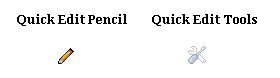
The quick edit pencil for editing your posts and the quick edit spanner and screwdriver for editing your gadgets are removed separately and here’s how it’s done.
Remove Quick Edit Pencil
Step 1. In your blogger dashboard click ‘Layout’
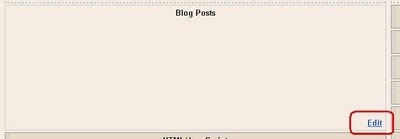
Step 2. Click the ‘Edit’ option for your blog posts as shown below :
Step 3. UN-Check the ‘Show Quick Editing’ box as shown below :
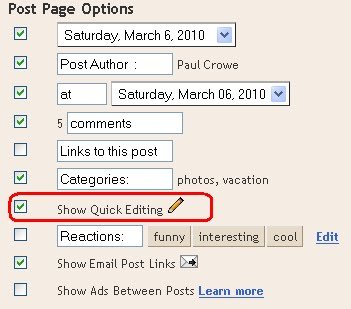
Step 4. Click save and the quick edit pencil will no longer appear on your blog.
Remove Quick Edit Spanner and Screwdriver
Step 1. – In Your (New Design) Blogger Dashboard Click The Drop Down Menu For Your Blog > Choose Customize > Advanced > Add Css, as shown in the video below.
Step 2. Copy and Paste the following code into the Css Section then click Apply To Blog.

.quickedit{display:none;}
Save your template and the quick edit tools have been removed from your blog.
You can always switch back in the future, and remember if you keep them in place no one else can use them.
Drop Your Comments And Questions Below.