


There are now more Blog platforms than ever including WordPress, Tumblr, Live Journal and the one we will focus on in this post; Blogger.All of the above are free or at least have free versions and Blogger is no different, Blogger is a totally free way to quickly create an online presence.Your Blog is free as is the domain, hosting, image hosting and everything else.Here we will see how within a few minutes you can have your blog created and your first post live for the world to see.
Steps To Start Your New Free Blog
1 ) Go to www.Blogger.com and create an account.
If you already have a google account (used for : Gmail,Youtube,Picasa etc..) you can use those account details to log in.
2. ) Once your logged in click “create a blog”
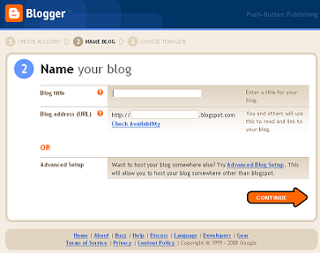
3 ) Give you blog a name
This will be the name of your blog that appears in your blog header like ‘Spice Up Your Blog’ appears at the top of this page.You can change the name of your blog at any time so don’t worry about getting it right first time.
4 )Choose an address for your blog, Your blog address is the URL that leads to your blog.
Your blog address will be a sub domain of blogspot.com so if you choose ‘funnycatpictures’
your address will be – www.funnycatpictures.blogspot.com
5 ) Choose a template for you blog
Your blog template sets the style and appearance of your blog.You template can be changed at any time so don’t worry too much about getting it right first time.As well as the templates provided by blogger you can get templates from other websites to use rather like you would get a new layout for a Myspace profile.
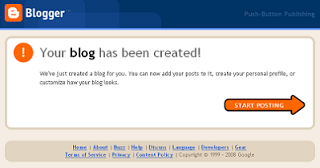
6 ) Success your new blog has been created

Your now ready to publish your first blog post !
Blogger Video :
Short demo on starting your blog
Drop Your Comments And Questions Below.